

Send unit cost and allocation data
CloudZero calculates unit costs (like cost per customer order) and splits shared costs (like a database serving multiple teams) by combining your spend data with measurements you provide. This page is where you start sending those measurements. About 5–10 minutes for your first stream, plus up to 24 hours for ingest.
What kind of data are you sending?
Tracking a unit metric like cost per customer order? Create a Unit Cost Metric.
Splitting shared costs across teams or products? Create an Allocation Stream.
Unit Cost Metric
Use a Unit Cost Metric when you want to calculate cost-per-X, like cost per customer order, cost per API call, or cost per transaction. Upload your measurements (like daily order count or API request count) here. The stream then powers calculations you build in Analytics Dashboards or questions you ask in AI Hub. For the broader concept and use cases, see Unit Economics.
Allocation Stream
Use an Allocation Stream when you want to split a shared cost across teams, products, or any other category. For example, a shared database used by multiple teams that should be billed proportionally to actual usage. Upload your measurements (like database writes per team) here, then reference the stream in a Splitting Shared Costs Allocation Dimension to define the split. The element names in your stream become the elements of the Dimension, so you don't need pre-existing tags or another Dimension to allocate against.
How are you sending it?
Through the UI
Upload a CSV file through the UI. Best for ad-hoc sends or one-time backfills. See Send data through the UI as a CSV.
Through the API
POST JSON records on a schedule. Best for recurring uploads from your business systems. See Send data through the API as JSON.
Recommended: Most teams start with CSV to validate the data shape, then switch to the API once they're ready to automate. Both methods support both stream types.
What you need
- A connected cloud provider, since your spend data has to exist before CloudZero can divide or allocate it. See Cloud Providers if you haven't yet.
- Measurements to send: a CSV file or an API-callable source.
After you send data
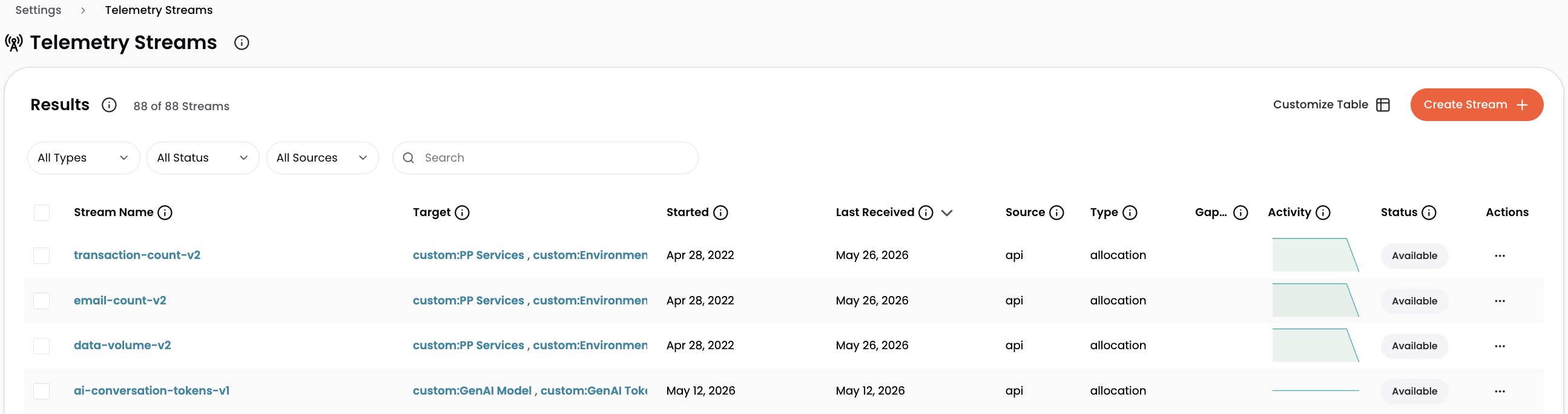
- Your stream appears on Settings > Telemetry Streams with Pending status.
- Within 24 hours, the status changes to Available. If it shows Invalid instead, the stream is targeting a missing or unhealthy Dimension; see Manage and troubleshoot streams to recover it.
- Your data is now usable:
- Unit Cost Metrics appear in Analytics Dashboards under Unit Metrics > [your stream name] and can be queried in plain English in AI Hub.
- Allocation Streams can be referenced in Splitting Shared Costs using
AllocateByStreams.
For ingest status, common errors, and stream updates, see Manage and troubleshoot streams. For advanced API payload patterns (multiple Dimensions, derived Dimensions, multi-stream setups), see Telemetry API examples.
Have questions or feedback? Reach out to your account manager.
Updated 5 months ago