

Kubernetes
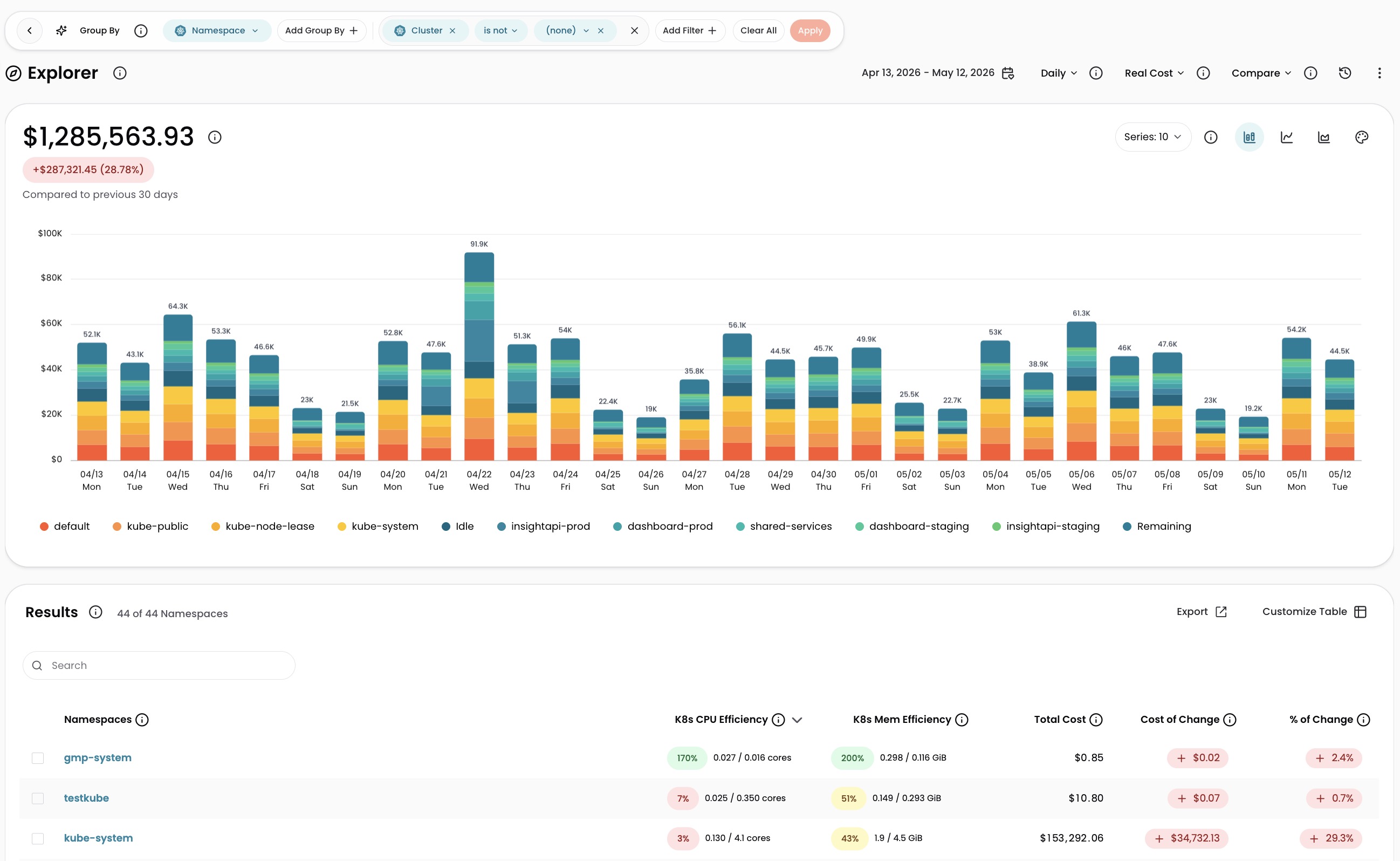
Connect your Kubernetes clusters to CloudZero to see your Kubernetes costs broken down by cluster, namespace, workload, and label, alongside your entire cloud bill. CloudZero organizes your Kubernetes costs, along with your other cloud costs, into categories (called Dimensions) that matter most to your business. For example: business unit, team, product, feature, environment, customer, or virtually anything else. Once connected and organized, you can quickly answer questions about your cloud spend that matter to your stakeholders.
This page covers the three integration methods CloudZero supports for Kubernetes. The recommended method, the CloudZero Agent, deploys in under 10 minutes, with cost data appearing within 48 hours.
Choose an integration method
CloudZero supports three ways to bring Kubernetes cost data into the platform. The CloudZero Agent is recommended for most organizations because it works across every supported Kubernetes platform and provides the most complete data.
| CloudZero Agent | EKS SCAD | GKE Cost Allocation | |
|---|---|---|---|
| Best for | Full visibility across every supported Kubernetes platform | AWS-native teams already using EKS | GCP-native teams already using GKE |
| Supported platforms | EKS, AKS, GKE, OKE, self-managed | AWS EKS only | GCP GKE only |
| Setup | Install an agent on your clusters | Enable a setting in AWS | Enable a setting in GCP |
| Data available in CloudZero | Within 48 hours | Up to 3 days | Up to 3 days |
| Cost data | Yes | Yes | Yes |
| Resource usage data (CPU, memory, GPU) | Yes (GPU requires Agent v1.2.0+) | Requests only, or requests + actual usage with Amazon Managed Service for Prometheus (AMP) | No |
| Idle cost calculation | Yes | Yes | No |
| Labels and annotations | Pods, Deployments, StatefulSets, DaemonSets, Jobs, CronJobs, Nodes, Namespaces | No | Pod labels only |
CloudZero Agent (recommended)
The CloudZero Agent works across all supported platforms and provides the most complete data, including resource usage metrics, idle cost calculation, and labels from eight resource types. See Install the CloudZero Kubernetes Agent for setup instructions.
EKS Split Cost Allocation Data (SCAD)
For EKS on EC2 clusters, you can use AWS Split Cost Allocation Data instead of the CloudZero Agent. SCAD allocates EC2 costs at the pod level using your existing AWS billing data. Kubernetes labels are not available through SCAD.
To enable SCAD:
- Verify you have an existing AWS connection in CloudZero and permissions to manage AWS Cost and Billing.
- Follow the steps in Enabling split allocation data in the AWS documentation.
- Select your allocation method during setup:
- Resource requests: allocates by pod CPU and memory requests only. No additional setup required.
- Resource requests and actual usage (recommended for more accurate allocation): allocates by requests or actual usage, whichever is higher. Requires an existing AMP workspace.
Cost data appears in CloudZero after the next billing ingest for the associated AWS account. This can take up to three days.
CloudZero does not support ECS SCAD. Only EKS SCAD is supported.
GKE Cost Allocation
For GKE clusters, you can use Google Cloud's native cost allocation feature instead of the CloudZero Agent. Resource usage data and idle cost calculations are not available through this method.
To enable GKE Cost Allocation:
- Verify you have an existing GCP Billing connection in CloudZero and permissions to create or modify GKE clusters.
- Enable GKE Cost Allocation on each cluster. For new clusters, pass the
--enable-cost-allocationflag at creation time.
Cost data appears in CloudZero after the next billing ingest for the associated GCP project. This can take up to three days.
GKE Cost Allocation does not account for Flexible Committed Use Discounts. Cost data shown in CloudZero may not reflect these discounts.
How Kubernetes cost allocation works
CloudZero Agent: CloudZero allocates Kubernetes costs using the actual cost of each VM from your cloud provider bill, combined with pod-level CPU, memory, and GPU usage reported by the agent. CloudZero's cost model assigns a proportional share of the node's total cost to each pod based on its resource consumption, calculated hourly. This works automatically across a broad range of instance types, including those with SSD, NVMe SSD, and networking enhancements.
EKS SCAD: AWS calculates split cost allocation at the pod level using its own methodology. CloudZero ingests this pre-allocated cost data and makes it available alongside your other cloud costs.
GKE Cost Allocation: Google Cloud provides Kubernetes cost data through its native cost allocation feature. CloudZero ingests this data directly.
Idle costs
CloudZero considers an instance's CPU, memory, or GPU fully utilized in a given hour if pods used or requested (whichever is higher) an average of 75% or more of available capacity. When utilization falls below that threshold, the difference is assigned to an Idle bucket representing unused cluster capacity.
Kubernetes Dimensions
CloudZero provides four core Kubernetes Dimensions for grouping and filtering costs:
- Cluster
- Namespace
- Workload
- Label (for integration methods that support labels)
CloudZero supports a maximum of 300 labels, annotations, and tags across all Kubernetes integrations. This is separate from and does not count toward the 300-tag limit for non-Kubernetes resources in the organization.
You can also create Custom Dimensions sourced from these Kubernetes Dimensions. For details, see the CostFormation Language Reference.
Have questions or feedback? Reach out to your account manager.
Updated about 2 months ago