

Connecting to OpenAI
Connect your OpenAI account to CloudZero to bring your OpenAI cost and usage data into a unified view of all your cloud and AI spend. CloudZero organizes your OpenAI costs, along with your other costs, into categories (called Dimensions) that matter most to your business. For example: business unit, team, product, feature, environment, customer, or virtually anything else. Once connected and organized, you can quickly answer questions about your spend that matter to your stakeholders.
CloudZero supports two OpenAI connections:
- OpenAI (Platform): Costs by project, model, and operation. Requires an Admin API key created by an Organization Owner.
- OpenAI Enterprise: Costs by user, product, and model, covering ChatGPT, Work, and Codex. Requires an OpenAI organization on the enterprise plan.
Enterprise customers can configure both. The same spend does not land in both, because OpenAI bills ChatGPT workspace usage and API Platform usage on separate surfaces. To isolate one connection in Explorer, filter by the Dimension, Cloud Provider.
Once connected, your OpenAI costs work like any other cost data in CloudZero. You can explore them in the Explorer, organize them by team or product using Dimensions, track trends in Dashboards, set Budgets, or ask questions in the AI Hub.
OpenAI (Platform)
This connection uses a read-only Admin API key and OpenAI's Costs API.
What you need
- CloudZero user with admin permissions
- An OpenAI Admin API key (requires the Organization Owner role)
- Your OpenAI Organization ID
Step 1: Create a read-only Admin API key in OpenAI
For full details on Admin API keys, see OpenAI's Admin API Keys documentation.
- Sign in to the OpenAI Platform and navigate to Admin Keys.
- Select + Create new Admin Key and give it a descriptive name (for example, "CloudZero Integration").
- Set the permissions to Restricted and grant Read access to the Organization Administration and Usage API scopes.
- Select Create Admin Key.
- Copy the key and store it securely. OpenAI does not display the key again after creation.
Only Organization Owners can create Admin API keys. For details on roles, see OpenAI's Administration overview.
Step 2: Configure the connection in CloudZero
- In CloudZero, go to Settings > Connections.
- Select Create Connection +.
- Select the OpenAI tile.
- Enter a Connection Name. This label identifies the connection throughout CloudZero.
- Enter your Organization ID. You can find this in the OpenAI Platform under Settings > Organization.
- Enter the Admin API key you created in Step 1.
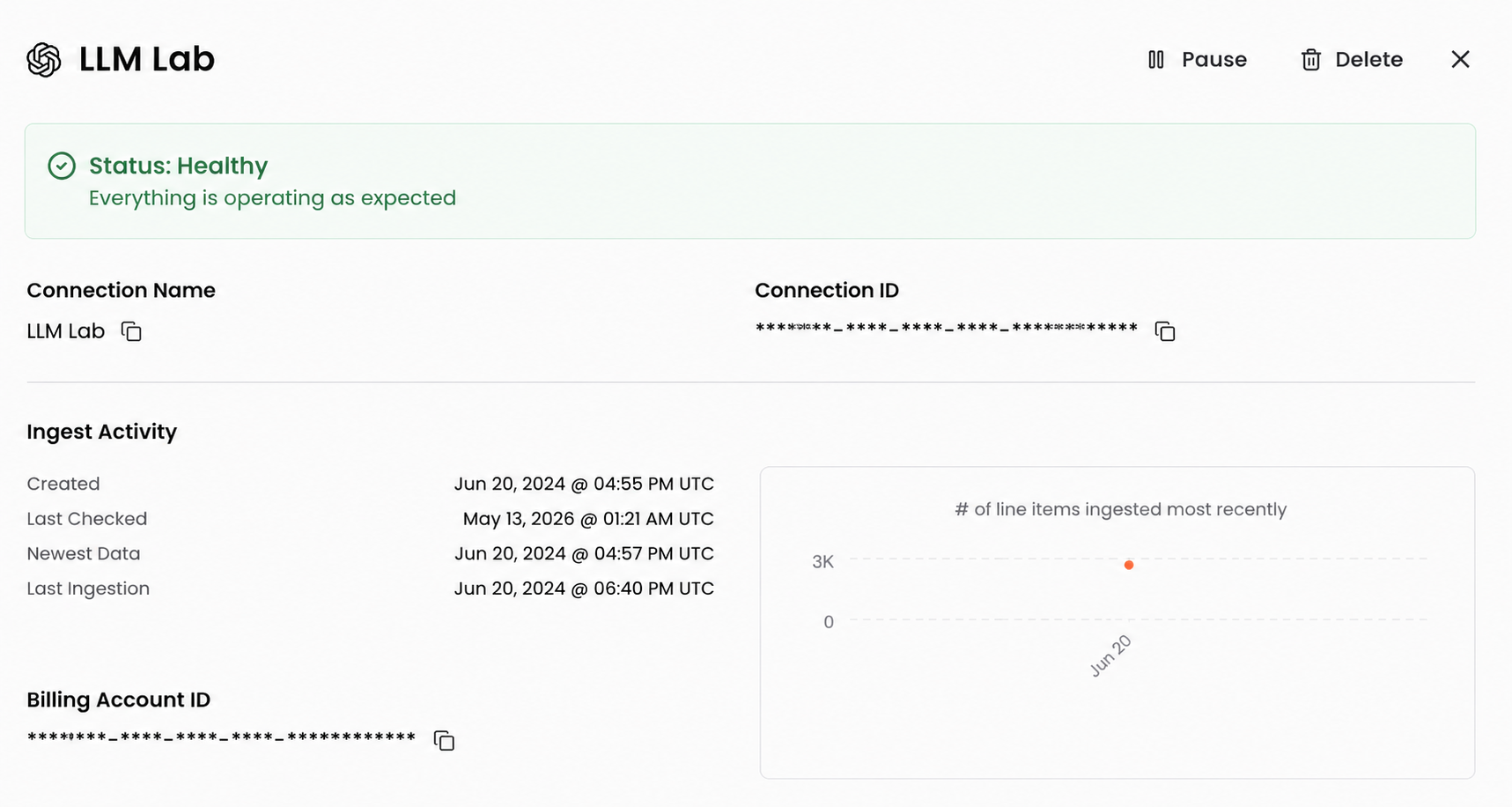
- Select Create Connection. You are redirected to the Connections page, where your new connection is listed.
What to expect
After you connect, CloudZero begins ingesting your OpenAI cost and usage data. CloudZero pulls up to 12 months of historical data on first connection. Your OpenAI costs appear across the platform within 24 hours.
Tags
The OpenAI connection provides tags with the openai_cz prefix for use in Dimensions:
| Tag | Description |
|---|---|
openai_cz:organization_id | Your OpenAI organization ID |
openai_cz:project_id | ID of the OpenAI project that generated the cost |
openai_cz:project_name | Name of the OpenAI project that generated the cost |
Cloud Provider Dimensions
Once connected, you can group and filter your OpenAI costs across the platform by the following categories (called Cloud Provider Dimensions):
| Dimension | Example values |
|---|---|
| Account | OpenAI project ID and name from the tags above, displayed as project_id|project_name (for example, abc123|my-project) |
| Service Category | AI and Machine Learning |
| Resource Type | gpt-4.1-2025-04-14: service-usage, web_search_tool_calls: service-usage |
| Usage Family | Standard Tier, Priority Tier, Batch |
| Operation | Input, Output, Cached Input, Embedding, Tool Call |
| Usage Type | Assistants API, Evals, Web Search Tool |
| GenAI Platform | OpenAI |
| GenAI Model | gpt-4.1-2025-04-14, o3-mini-2025-01-31, text-embedding-3-large, web_search_tool_calls |
| GenAI Model Family | GPT-4o, GPT-4o mini, GPT Image 1 |
| GenAI Token Type | Input, Output, Cached Input, Text |
OpenAI Enterprise
This connection uses a read-only Admin key created in the OpenAI Admin Console.
The OpenAI Enterprise connection is in preview. Field names and behavior can change as we act on customer feedback. Reach out to your account manager to have it enabled for your organization.
What you need
- CloudZero user with admin permissions
- An OpenAI organization on the enterprise plan
- Workspace owner or workspace admin access to the OpenAI Admin Console
- Your OpenAI Organization ID and Workspace ID
Step 1: Create an Admin key in the OpenAI Admin Console
- Sign in to the OpenAI Admin Console as a workspace owner or workspace admin.
- Go to Credentials > Admin keys and select Create new admin key.
- Give the key a descriptive name (for example, "CloudZero Integration") and select the workspace you are connecting.
- Choose Custom permissions, labeled Restricted on some accounts. This is the setting that lets you grant individual scopes.
- Set Codex analytics API to Read. This is a different scope from Codex logs, which sits near it in the list.
- Set Costs, under the compliance logging scopes, to Read.
- Copy the key and store it securely. OpenAI does not display the key again after creation.
Create the key in the OpenAI Admin Console at admin.openai.com. A project key from the API Platform cannot read these sources at any permission level, and the scopes this connection needs do not appear on the API Platform side.
Step 2: Create the connection in CloudZero
- In CloudZero, go to Settings > Connections.
- Select Create Connection +.
- Select the OpenAI Enterprise tile.
- Enter the values below.
- Select Test. Nothing is saved until the test passes.
- Select Create Connection. You are redirected to the Connections page, where your new connection is listed.
| Field | Value |
|---|---|
| Connection Name | A label that identifies the connection throughout CloudZero |
| Organization ID | Begins org-. Your ChatGPT admin console at chatgpt.com/admin/settings and the OpenAI Platform at platform.openai.com/settings/organization/general both show it |
| Workspace ID | The UUID on the workspace settings page of your ChatGPT admin console |
| Admin API key | The key from Step 1 |
Open Advanced to set an Initial Ingest Month, which controls how far back the first pull reaches. The connection asks for up to twelve months and OpenAI returns what it still holds.
Your Organization ID is the same value in your ChatGPT admin console and on the OpenAI Platform. If the two show different values, contact OpenAI Support before you continue, because the organization that issued your key needs to own the workspace.
What to expect
Your new connection shows Running with Pending First Ingest until data arrives, which has taken a few hours on recent connections. It turns Healthy once the first data lands.
CloudZero pulls thirty days of history in hourly detail on first connection, which is the retention limit on OpenAI's cost source. History builds forward from there, so a month after connecting you have two months of it. Codex data reaches further back at daily grain.
OpenAI publishes cost data three to five hours behind the usage itself, so the most recent day fills in as the rest arrives. Give a day before you treat a figure as final.
Tags
The OpenAI Enterprise connection provides tags with the openai_cz prefix for use in Dimensions:
| Tag | Description |
|---|---|
openai_cz:user_id | OpenAI's identifier for the person who ran the usage |
openai_cz:user_email | Email address of the person who ran the usage |
openai_cz:user_name | Display name of the person who ran the usage |
openai_cz:groups | Workspace groups the person belongs to in OpenAI |
openai_cz:surface | Where the request ran, for example chatgpt, web, desktop_app, voice |
openai_cz:client | Client the request came from, for example web, desktop_app, ios, android |
openai_cz:service_tier | OpenAI service tier applied to the request |
openai_cz:reasoning | Reasoning level, for models that expose one |
openai_cz:agent_name | Agent responsible for the request, where one applies |
openai_cz:cost_basis | Which of the two OpenAI sources the cost figure came from |
openai_cz:speed | Codex speed setting |
Cloud Provider Dimensions
Once connected, you can group and filter your OpenAI Enterprise costs across the platform by the following categories (called Cloud Provider Dimensions):
| Dimension | Example values |
|---|---|
| Account | Your ChatGPT workspace ID |
| Service | ChatGPT, Codex, Work |
| Service Category | AI and Machine Learning |
| Resource Type | ChatGPT: user, Codex: user, Work: user |
| Usage Family | The model that ran the request, for example gpt-5.6-sol, gpt-5-pro, image_gen |
| Usage Type | uncached_input_tokens, cache_read_input_tokens, output_tokens |
| Pricing Unit | Tokens, Requests, Seconds |
| GenAI Platform | OpenAI |
| GenAI Model | gpt-5.6-sol, gpt-5-thinking, image_gen |
| GenAI Model Family | GPT-5, GPT-5 Pro, GPT-5.6 Sol |
| GenAI Token Type | Input, Output, Cached Read Input, Image |
Usage data
Cost values are OpenAI's own reported figures for your workspace, and they match what you see in OpenAI's dashboard. Compare them against your invoice when you reconcile.
Usage that falls inside a seat's included allowance carries no cost from OpenAI, so it does not appear as spend. What lands in CloudZero is usage billed beyond the seat allowance.
Have questions or feedback? Reach out to your account manager.
Updated 15 days ago