

Try New Features with Labs
Labs is where any CloudZero user can turn on new features before they are generally available. Everything is opt-in, nothing is on by default, and you can turn any feature off at any time. Open Labs from your profile menu to see what is currently available.
How to enable a feature
- Select your profile icon in the bottom left of the navigation sidebar.
- Select Labs.
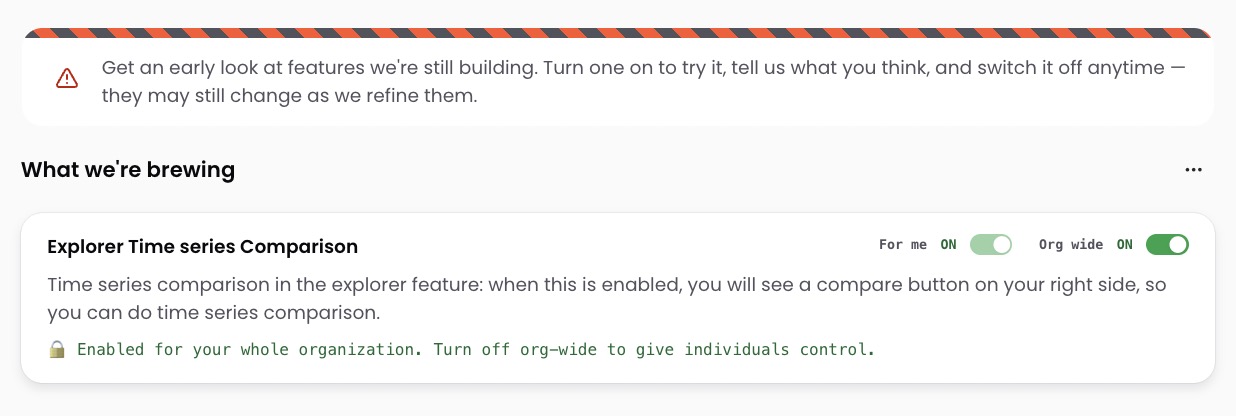
- Find the feature you want to try and turn on one of its toggles:
| Toggle | What it does |
|---|---|
| For me | Enables the feature for you only. Other users in your organization are not affected. |
| Org wide | Enables the feature for every user in your organization. Only admins can toggle this. Turn it off to return control to individual users. |
Use the ⋯ menu at the top of the Labs page to manage all features at once:
| Action | What it does |
|---|---|
| Opt in to all | Turns on every Labs feature for you |
| Opt out of all | Turns off every Labs feature for you |
| Enable all org-wide | Turns on every Labs feature for all users in your organization (admins only) |
| Disable all org-wide | Turns off org-wide for all features, returning control to individual users (admins only) |
What happens to Labs features
Labs features either graduate to general availability or are retired.
Have questions or feedback? Reach out to your account manager.
Updated 4 months ago
Did this page help you?