

Cost Trends
See whether your costs are trending up or down compared to the previous period. Explorer compares your selected time range against the preceding period of the same length, and this comparison (called Cost Trends) is enabled by default.
When Cost Trends is enabled, Explorer displays:
- Compared to previous X days in the total cost summary above the graph
- Cost of Change column in the cost table
- % of Change column in the cost table
When Cost Trends is disabled, these comparison values are hidden.
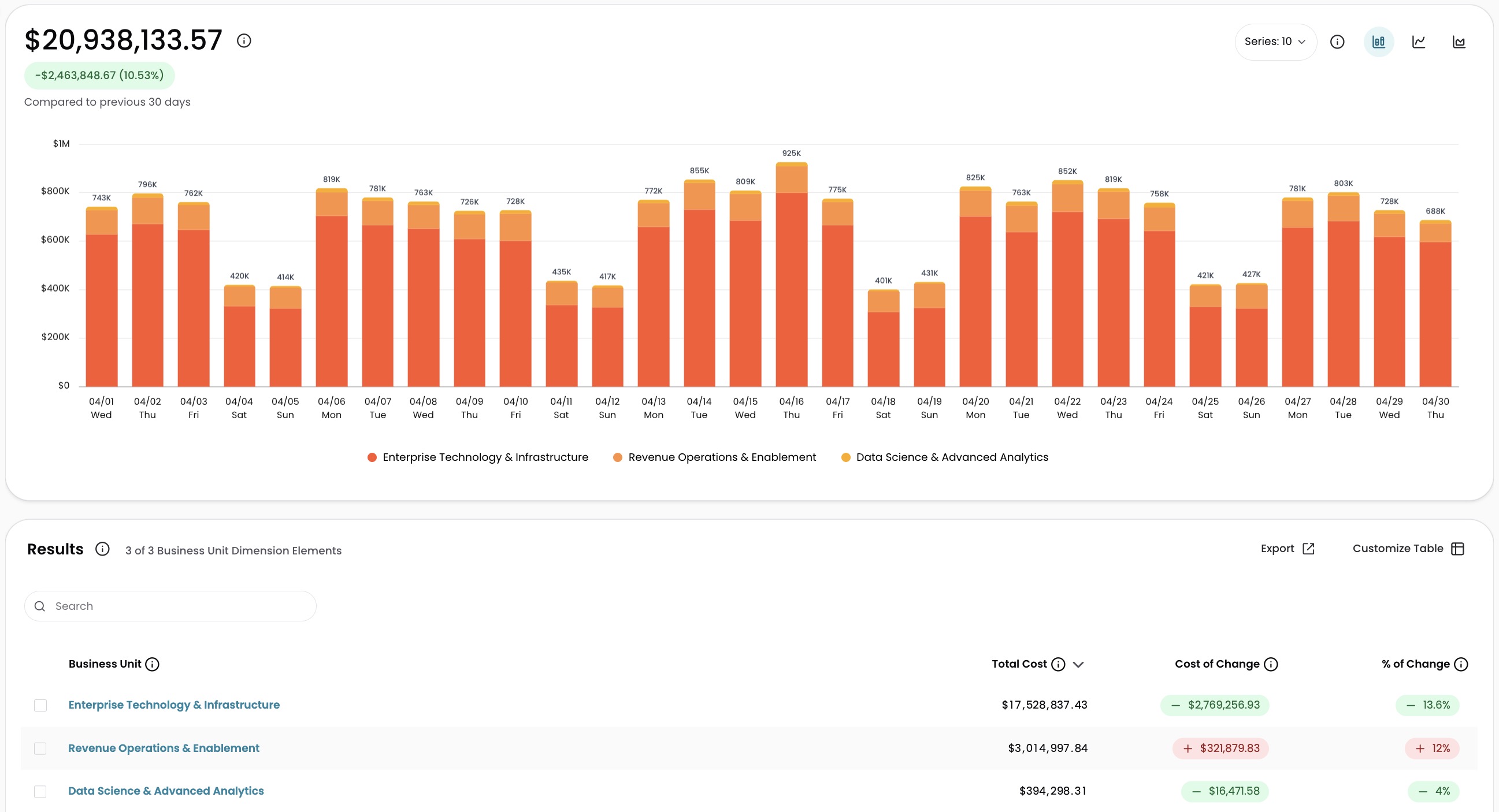
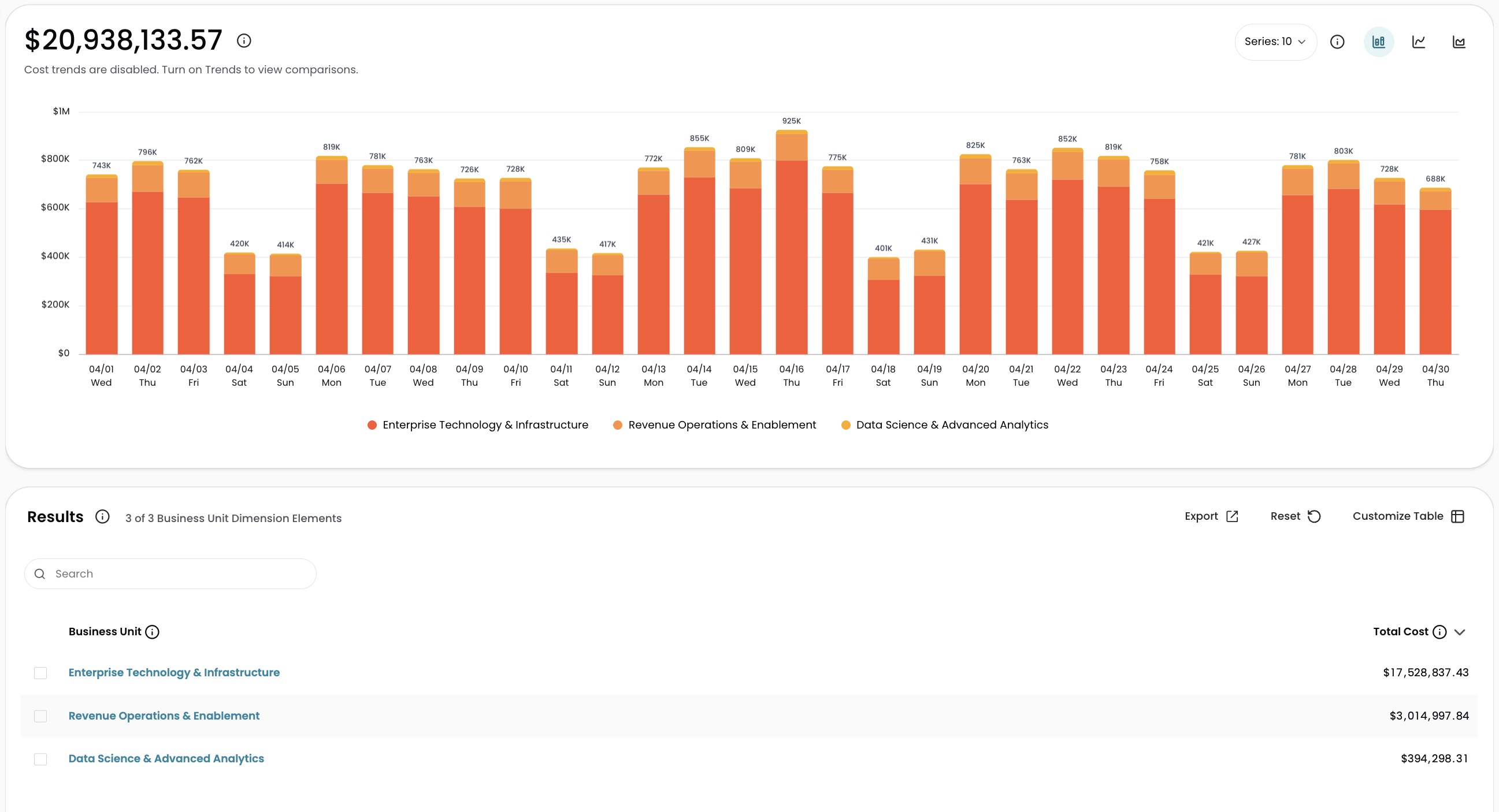
Turn Cost Trends on or off
- Go to Explorer.
- Select Customize Table.
- Locate the Cost Trends toggle in the Analysis Data section.
- Switch the toggle off to disable trend calculations, or on to re-enable them.
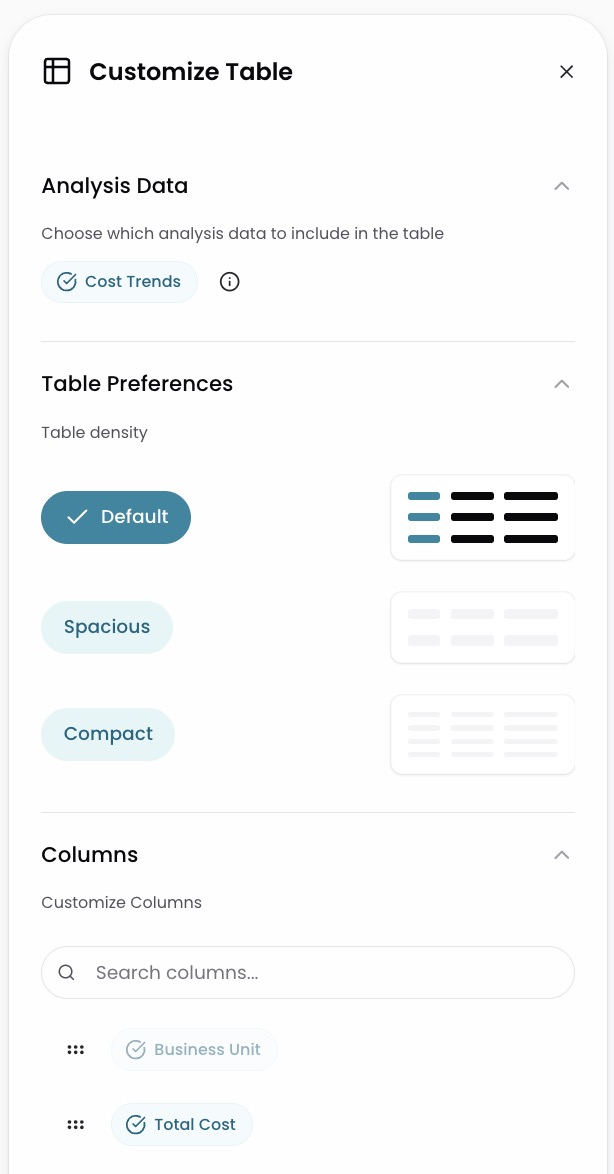
How the setting works
- Cost Trends is on by default for all users.
- Each user controls the toggle independently. Your selection does not affect other users.
- The toggle state is included in shared and bookmarked URLs. If you share a link with Cost Trends off, anyone opening that link sees Cost Trends off.
When to disable Cost Trends
Disabling Cost Trends reduces the data Explorer needs to retrieve, which can significantly improve load times for larger time ranges.
Disable Cost Trends when:
- You are analyzing longer lookback periods and want faster load times
- You are focused on the current period's spend and do not need a comparison
Enable Cost Trends when:
- You want to see period-over-period cost changes
- You are reviewing Cost of Change and % of Change in the cost table
For more on how Cost of Change works, see Explorer Overview.
Have questions or feedback? Reach out to your account manager.
Updated 2 months ago
Did this page help you?