
Improve Explorer Performance by Disabling Trend Data
The Explorer page includes trend data that calculates and displays cost comparisons for your selected time range. When you analyze long lookback periods, this calculation can increase load time. You can disable trend data to improve Explorer performance.
Understand what the Trends toggle controls
The Trends toggle controls whether Explorer calculates and displays:
- Compared to previous X days in the Total Cost summary
- Cost of Change column
- % of Change column
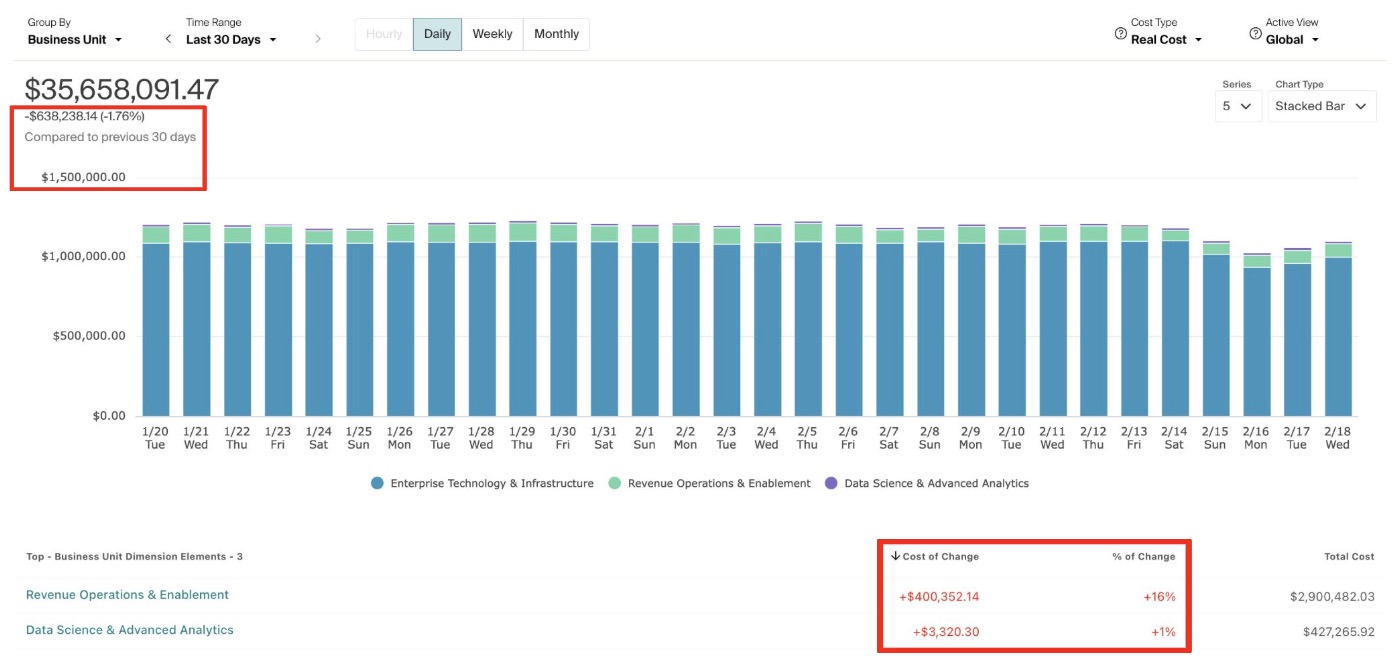
When Trends is enabled, Explorer calculates cost deltas between the current time range and the preceding period. For example, if you select Last 30 Days, Explorer compares that period to the preceding 30 days.
When Trends is turned off, Explorer loads faster. With Trends enabled, Explorer pulls data for two time periods. It retrieves the current period and the prior period to calculate the delta and percentage change. That means it queries twice the time range you selected.
When you turn Trends off, Explorer only queries the single time range you requested. It processes less data, so results return more quickly.
Explorer keeps up to 13 months of data readily available to speed up common queries. When Trends is enabled and you look at more than 6 months of data, Explorer often pulls a larger combined time range to calculate the comparison. That can push the query outside the 13 month window of preloaded data. When that happens, Explorer processes more data from scratch, which takes longer.
Turning Trends off keeps the query within a smaller time range. This increases the chance that the data is already available and can return faster.
When to Disable Trends
Disable Trends when:
- You are analyzing long lookback periods
- You do not need period over period comparison
- You want faster load times while exploring raw cost totals
Keep Trends enabled when you need to:
- Identify cost increases or decreases
- Review Cost of Change and % of Change
- Monitor short term performance shifts
Turn Trends On or Off
- Go to Explorer.
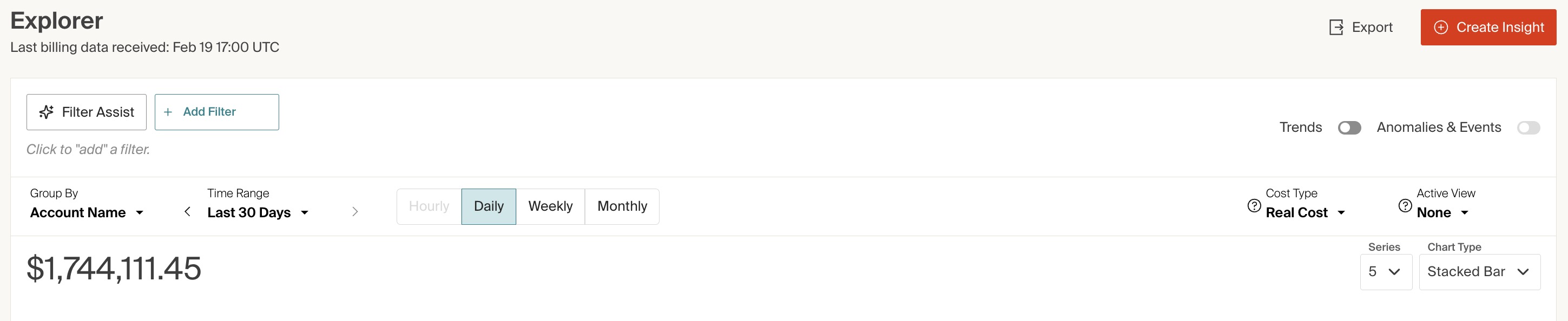
- Locate the Trends toggle in the top right section of the page.
- Switch the toggle off to disable trend calculations.
- Switch the toggle on to re enable trend calculations.
How the Setting Works
- The organization level default is On.
- Each user can change the toggle for their own session.
- If you turn the toggle off in a tab and refresh, it remains off for you.
- If you share a URL where the toggle is off, the toggle remains off for anyone who opens that link.
- If you open Explorer in a new tab, the toggle resets to the default state.
This setting does not change the experience for other users across the organization. Each user controls the toggle individually.
Updated about 1 hour ago